Print quality is our obsession at Striped Circle!
High quality music prints and posters are what we are all about - let us give you a glimpse into our focus on ensuring every music art print we produce is the best print quality possible.
Whilst we mainly refer to our work as "prints", the word "posters" does occasionally slip in - mainly because our customers tend to use the word posters to describe all print material. We prefer to think of our designs as "artwork" and artwork has to be printed on high quality paper, right?
All of our music art prints are lovingly designed with the end result in mind and that "end result" is you, our customer, opening their delivery and being wowed by the print quality of their new prints.
With this in mind, the paper we have selected is a brilliant-white, premium heavyweight matte paper.
All our prints weigh in at a meaty 250 grams per square metre - that may not mean too much, but it's a good weight which feels reassuringly substantial rather than flimsy like a typical poster. It has a smooth matte finish which holds crisp detail and rich colour, with no glare or reflections once it's up on your wall.

Here's some more technical information (and a glimpse into the geeky nature of producing high print quality products):
- The paper we have chosen is perfect for art prints: a smooth, heavyweight matte paper in a brilliant white, so colours stay clean and bright and blacks stay deep.
- It is acid-free, meaning the pH of the paper is above 7 (neutral) — we did warn you our obsession was 'geeky'.
- At 250gsm it has a premium weight you can feel, and the matte surface means no shine or glare.
- We print with professional 10-colour pigment inks on professional Epson printers, for deep blacks, vivid colour and prints that resist fading.
- We promise not to bore you with any more info.
Packaging & Delivery
As you would expect, given our obsession with print quality, we try our utmost to ensure that your new art arrives in pristine condition. Each print is shipped in robust packaging, ensuring it arrives safe and secure — please make sure you unpack your print carefully!
Read a little more about the Striped Circle family here → Who are Striped Circle?
Featured Collections
-

Alternative Lyrics Music Prints
Our UNIQUE Alternative Lyrics music prints: classic songs with our very own...
-

Music Prints
From iconic lyrics to cult references, our Music Prints are made for...
-

Greeting Cards
Inspired by our unique range of art prints, we hope these greeting...
-

"Hobbies" Prints
Our Hobbies wall art prints celebrate the little obsessions that make life...


Alternative Music Collection
Check out our BEST SELLING range of wall art prints:
-
Kung Fu Fighting Alternative Lyrics Music print | UK Wall Art
Regular price From £8.49Regular priceUnit price per£0.00Sale price From £8.49 -
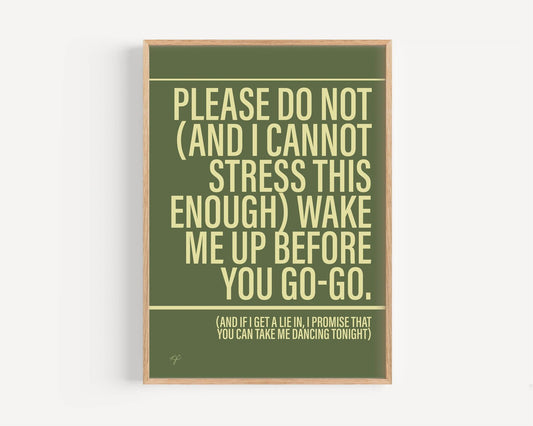
Wake Me Up Before you Go-go Alternative Lyrics Music Print | UK Wall Art
Regular price From £8.49Regular priceUnit price per£0.00Sale price From £8.49 -
Sit Down James Alternative Music Lyrics Print | UK Wall Art
Regular price From £8.49Regular priceUnit price per£0.00Sale price From £8.49 -
Disco 2000 Pulp Alternative Lyrics Music Print | Song Lyric Wall Art UK
Regular price From £8.49Regular priceUnit price per£0.00Sale price From £8.49 -
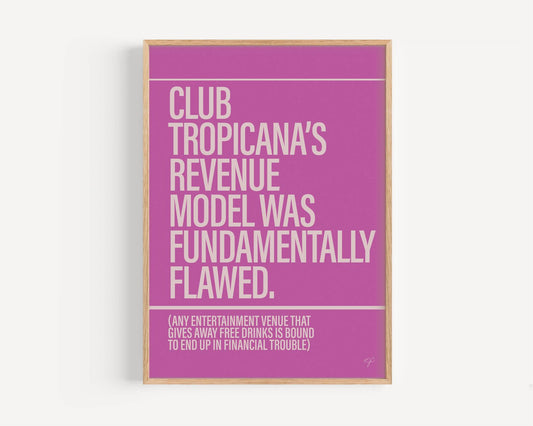
Club Tropicana Alternative Lyrics Music Print | UK Wall Art
Regular price From £8.49Regular priceUnit price per£0.00Sale price From £8.49 -
Firestarter Alternative Lyrics Music Print | UK Wall Art
Regular price From £8.49Regular priceUnit price per -
Sweet Caroline Alternative Lyrics Music Print | UK Wall Art
Regular price From £8.49Regular priceUnit price per£0.00Sale price From £8.49 -
Murder on the Dancefloor Alternative Lyrics Music Print | UK Wall Art
Regular price From £8.49Regular priceUnit price per£0.00Sale price From £8.49